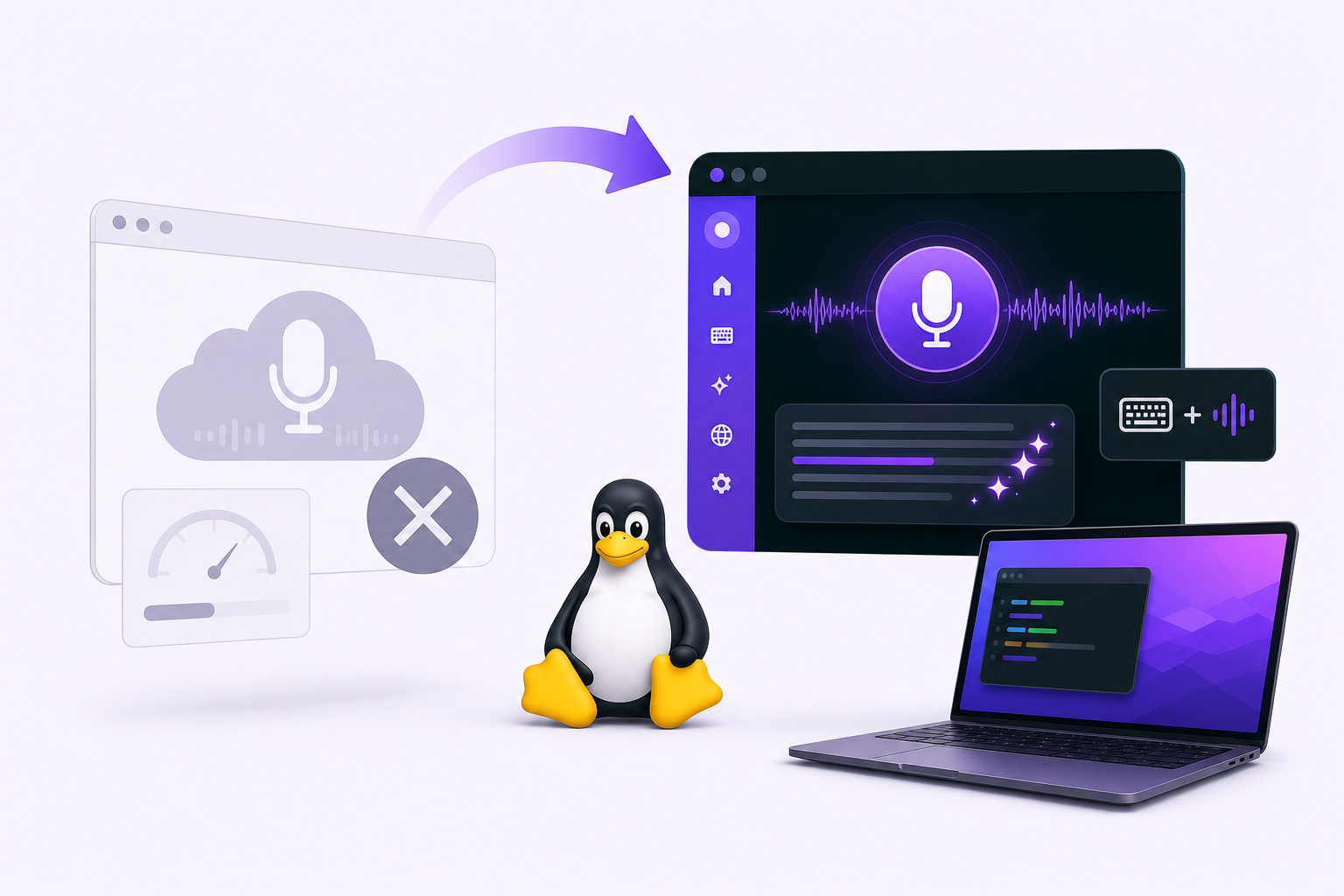
Does Wispr Flow Work on Linux? No. Here's the Alternative

Wispr Flow's official platform list covers macOS, Windows, iPhone and Android. Linux is not on it, and that stays true whether you searched for Wispr Flow, WisprFlow, Whispr Flow, or Whisper Flow (Wispr Flow pricing and FAQ).
So here is the part a search result cannot hand you: Vibe Typer, a voice typing app you can actually install on Linux today. It ships as a single portable AppImage for modern 64-bit distributions (Ubuntu, Fedora, Debian, Arch, Linux Mint), and it runs under both Wayland and X11, not X11 only. Your words land in whatever app your cursor is in. Magic Formatter cleans up the ums and the self-corrections on the way, and you can select any text and say "rewrite this more professionally" instead of retyping it.
Below: what Wispr Flow does and does not support, how the two compare feature by feature, and how to get Vibe Typer running on your distribution.
Does Wispr Flow work on Linux?
Not officially, and not "not yet" either: Wispr makes no .deb, .rpm, AppImage, Flatpak or snap, and has announced no timeline for one. Its own help only covers using Flow from Windows with WSL. There is no web version either, and a browser tool would not fill the gap, because the Linux desktop workflow is not a web page. It is a terminal, an editor, an email client, a chat app, an issue tracker and a document, usually all of them inside one hour.
What you will find is an unofficial community port that repackages the Windows app as .deb, .rpm, AppImage and AUR packages, with its own helper to type the text into Linux apps. Wispr does not support it. It signs in to your Wispr Flow account, so Wispr's plans and limits apply, and each Wispr release reaches Linux only after the port repackages it.
The practical question is which voice typing app you can install on Linux today that does the same job.
Wispr Flow, Whisper Flow, and Superwhisper: which one you mean
Three different products get typed into search as roughly the same thing, and only one of them is Wispr Flow.
- Wispr Flow (wisprflow.ai) is the macOS, Windows, iPhone and Android dictation app this guide is about. It is often typed Whisper Flow, WhisperFlow or Whispr Flow, because of OpenAI's Whisper model. Same product either way, and no official Linux build.
- Whisper is OpenAI's speech recognition model, not an app. Several Linux tools are built on it and run it entirely on your own machine. Handy and Whispering are the friendliest, and that is the route to take if offline transcription is what you need.
- Superwhisper is a different company's app for macOS, Windows, iOS and Android. Its only Linux builds, published in October 2026, are early ones for Arch-based desktops. If that is the one you meant, it has its own guide.
Whichever you typed, the decision on Linux is the same: pick a tool that ships a Linux download and types into every app you write in, not just one browser tab. Vibe Typer's Free plan exists so you can test the hotkey, the text insertion and the AI formatting before it becomes part of your day.
Why many voice typing tools fall short on Linux
Linux has long been underserved for speech recognition and dictation software. Many options are one of these:
- Browser-only extensions that work in Chrome or Edge but not across the whole desktop.
- Open-source toolkits that work but need model downloads, scripts, microphone configuration and ongoing maintenance.
- Cloud dictation tools that support macOS or Windows first and leave Linux users waiting.
- Built-in accessibility features that vary by desktop environment and usually have no AI rewriting or reply drafting.
Technical users can make almost anything work, but that is different from having a tool you use every day without maintaining it.
Vibe Typer vs Wispr Flow on Linux
| Feature | Vibe Typer | Wispr Flow |
|---|---|---|
| Native Linux download | Yes, one portable AppImage | No official build; an unofficial community port exists |
| Ubuntu support | Yes, 24.04 and later | Not listed |
| Fedora / Debian / Arch / Linux Mint | Yes, the same AppImage | Not listed |
| Wayland | Yes, native | No official Linux build |
| X11 | Yes, native | No official Linux build |
| System-wide dictation | Yes | No official Linux build |
| AI rewrite command | Yes | No official Linux build |
| AI reply drafting | Yes | No official Linux build |
| Free plan | 2,000 words a month, on Linux too | 2,000 words a week, on Mac and Windows |
| Cross-platform desktop use | Linux, Windows, macOS | macOS and Windows |
If you are on macOS or Windows, Wispr Flow may be worth comparing directly. If you are on Linux, Vibe Typer is the more practical choice because it has a supported Linux build.
Why Vibe Typer works as a Wispr Flow alternative on Linux
Vibe Typer is a desktop voice-to-text app for people who write across many apps. For Linux users, the parts that matter:
- Native Linux support. A real desktop install, not a browser-only workaround.
- System-wide dictation. Press your global hotkey and dictate into anything you can type in.
- Wayland and X11. Both sessions work, and the text insertion preference is adjustable if one app behaves oddly.
- Magic Formatter. Cleans up rambling speech, false starts, and self-corrections before the text lands in your app.
- AI rewrite. Highlight text and say things like "rewrite this more professionally" or "make this shorter."
- AI reply. Copy a message or email, then ask Vibe Typer to draft a reply you can review.
- Pricing. Start on the Free plan, then move to Pro if voice typing sticks.
Wispr Flow alternative for Ubuntu
Wispr makes no build for Ubuntu: no .deb, no PPA, no snap (the community port's .deb is unofficial). Vibe Typer's AppImage runs on Ubuntu 24.04 and later without adding a repository:
chmod +x VibeTyper.AppImage
./VibeTyper.AppImage
Ubuntu has defaulted to a GNOME Wayland session since 22.04, which is exactly where most dictation tools quietly stop working: they synthesise keystrokes with xdotool, and Wayland does not allow that. Vibe Typer ships a Wayland path as well as an X11 one and picks the right one for your session, so text lands in GNOME Text Editor, Firefox, VS Code, Slack and your terminal the same way.
If you want something free that runs entirely on your machine, Canonical's own Myna has been in technology preview since October 2026: local speech to text for Ubuntu 24.04 and later on GNOME Wayland, installed from a PPA. It types what you say with the model's own punctuation, with no AI cleanup or custom vocabulary yet. The Ubuntu dictation guide compares the two.
Wispr Flow alternative for Fedora, Arch, and Linux Mint
Same file, same hotkey, three different default setups:
- Fedora Workstation: GNOME on Wayland by default since Fedora 25, so the same Wayland path applies as on Ubuntu.
- Arch (and Manjaro, EndeavourOS): usually KDE Plasma or GNOME, and on Plasma 6 that is a Wayland session out of the box. Switching a machine from X11 to Wayland carries your Vibe Typer settings across automatically.
- Linux Mint: Cinnamon still runs X11 by default, which is the easier case, not the harder one. See voice typing apps for Linux Mint for the Mint-specific walkthrough.
- Debian and other modern 64-bit distributions: the AppImage is portable, so there is nothing distribution-specific to install.
What does not change across any of them: one global hotkey, and dictation into productivity tools, developer tools, chat apps and web apps alike.
Wayland vs X11: what Linux users should know
Speech recognition quality is half of Linux voice typing. Getting the text into the window is the other half, and it is where most tools fall over. X11 lets any process synthesise keystrokes into any window; Wayland deliberately does not, which is why anything built on xdotool stops working the moment a distribution switches its default session, as Ubuntu, Fedora and Plasma all have. Why most voice typing tools break on Wayland covers the mechanics.
Vibe Typer ships both paths and picks the one your session needs. Individual apps still differ (terminals in particular), so the text insertion preferences let you set a per-app rule if one behaves oddly. For most Linux users that practical desktop fit matters more than benchmark transcription accuracy alone.
Wispr Flow alternatives for Linux, ranked
Checked 14 October 2026 against each project's own site. Vibe Typer is the closest match to what Wispr Flow does: system-wide, cleaned-up text, no setup, and, like Wispr Flow, transcription on servers rather than your CPU, so it is as fast and accurate on a laptop as on a workstation. The open-source tools win if audio must never leave your machine, and the result then depends on your hardware.
| Tool | Wayland | Transcription | Cost | Best for |
|---|---|---|---|---|
| Vibe Typer | Native | On our servers: large models, same speed and accuracy on any machine | Free for 2,000 words a month, Pro $8 a month billed annually | The Wispr Flow workflow on Linux: hold a hotkey, talk, clean text lands in any app. Magic Formatter cleanup, custom instructions, a dictionary that learns from your corrections, Rewrite and Reply. Also on Windows, macOS and iPhone. |
| Vocalinux | Yes | On your machine | Free, AGPL-3.0 | Fully offline dictation on Ubuntu, Debian, Fedora, Arch and openSUSE, one-line install |
| Voxtype | Yes, via wtype | On your machine | Free, MIT | Wayland compositors such as Hyprland, Sway and Niri, hold-to-talk, no cloud |
| Handy | Partial | On your machine | Free, MIT | A simple offline GUI that also runs on Mac and Windows |
| OpenWhispr | Partial | On your machine by default, or your own API keys | Free, open source | Local models with a GUI, also on Mac, Windows and iOS |
| Myna | GNOME only | On your machine | Free, AGPL-3.0 | Canonical's own dictation for Ubuntu 24.04 and later, in technology preview |
| nerd-dictation | Partial | On your machine | Free, GPL-3.0 | Scriptable, X11-first, for people who want to wire it up themselves |
The full list of everything that ships a Linux build, checked against Wayland, X11, offline support and install effort, is in Linux dictation software: 16 tools that actually run. Superwhisper, Dragon and TypeWhisper each have their own Linux guide.
For the full picture of what Vibe Typer does on Linux, see voice typing for Linux.
How to install Vibe Typer on Linux
- Go to the Vibe Typer downloads page.
- Choose the Linux download.
- Open Vibe Typer and grant microphone access when prompted.
- Set a global hotkey.
- Click into an app where you can type, press the hotkey, and start dictating.
- If text insertion behaves differently in a specific app, review the text insertion and paste preferences.
Verdict
Wispr Flow is a good product that Wispr does not make for Linux, and nothing on its platform list suggests that is about to change. Vibe Typer is the practical alternative: one AppImage across Ubuntu, Fedora, Debian, Arch and Mint, native on Wayland and X11, system-wide, with AI rewriting and reply drafting, and a Free plan to test the workflow before you commit to it.
Download Vibe Typer and try it in the apps where you write most.
FAQ
Is there a Wispr Flow or WisprFlow Linux app?
Not an official one. Wispr Flow's platform list does not include Linux. An unofficial community port repackages the Windows app for Linux, but Wispr does not support it. If you want a supported Linux app, Vibe Typer has a native Linux download.
What is the best Wispr Flow alternative for Linux?
Vibe Typer, if you want what Wispr Flow does: hold a hotkey, talk, and cleaned-up text lands in any app with no setup. It has a native Linux build for Wayland and X11, AI rewrite and reply, and a free plan. If transcription must stay offline, Vocalinux or Voxtype are the open-source picks.
Does Vibe Typer work on Ubuntu?
Yes. The AppImage runs on Ubuntu 24.04 and later, including the default GNOME Wayland session, with no repository or PPA to add. Dictation works across browsers, editors, terminals, chat apps and productivity tools.
Which Linux distributions does Vibe Typer support?
Modern 64-bit distributions, from one portable AppImage: Ubuntu, Fedora, Debian, Arch and Linux Mint among them. There is no per-distribution package to pick and nothing distribution-specific to install.
Does Vibe Typer work on Wayland?
Yes, natively, and on X11. Vibe Typer ships both text insertion paths and uses the one your session needs, rather than relying on xdotool the way most Linux dictation tools do. Individual apps can still differ, so insertion preferences are adjustable per app.
Is Vibe Typer a Whisper Flow alternative for Linux?
Yes. Many people search for Wispr Flow as "Whisper Flow" or "WisprFlow." If you are looking for a Whisper Flow Linux alternative, Vibe Typer is the Linux-friendly option to try.
Is there a free Wispr Flow alternative for Linux?
Yes. The open-source tools are free for good and run on your own machine: Vocalinux, Voxtype, Handy and OpenWhispr, plus Canonical's Myna on Ubuntu (technology preview). Vibe Typer's Free plan gives you 2,000 words and 20 AI operations a month with AI cleanup, enough to test it before Pro at $8 a month billed annually.
Try Vibe Typer free
Voice typing that works in every app on Linux, Windows, and macOS. Free to download: 2,000 words a month, no card.
Download free