
Free
$0/mo
Free forever · no card
- 2,000 words transcribed per month
- 20 AI operations per month
- Magic Formatter with custom style instructions
- Works in every app, in 99 languages
Hold a key and talk. It types what you meant, into any app, before you can reach for the keyboard. Native on Linux, Windows, macOS and iOS.

From Discord, email and support tickets. Quoted word for word.
“Now I use your product everywhere, because the text quality is clearly better.”
“Used Wispr Flow before and it was always slowing everything down and laggish. No other app had a Linux version!”
“I now feel comfortable doing long dictations that I would have avoided before.”
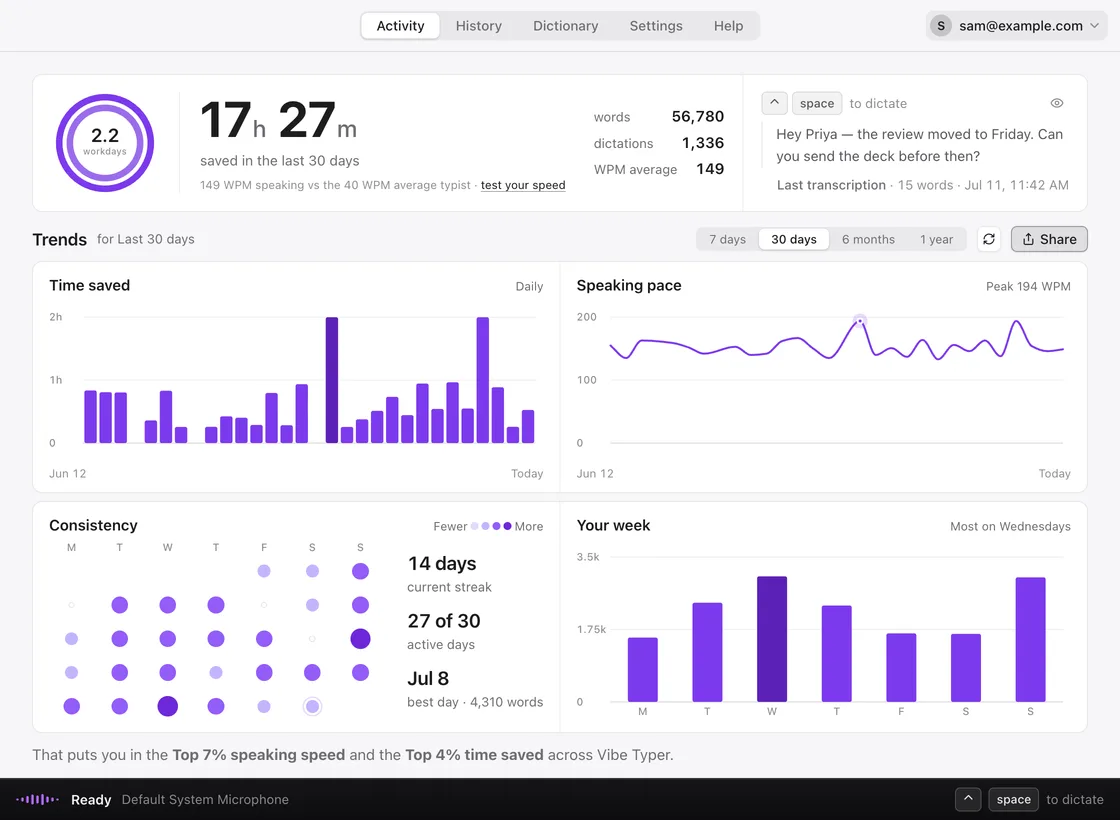
That gap is hours a week. Vibe Typer counts every minute you didn't spend typing, so you can watch them add up.
Other dictation apps ask you to trust them. Vibe Typer shows what you said next to what it typed, with every change marked.

Free to download · 2,000 words a month · no card
Hold the hotkey in Claude Code, Codex, Cursor or any terminal and talk through the change. The whole thought lands in the prompt as clean text. Native on Linux, Wayland and X11 included.
✻ Welcome back. What are we building?
Refactor the settings sync so it retries with backoff when the network drops. Keep the existing error toast, but only show it after the third failed attempt, and add a test for the offline case.
Built-in dictation is slow, types every um and false start, and leaves you to clean it up. Vibe Typer types what you meant before you can reach for the keyboard. And it sweats the small stuff.
People who switched say the text comes out better and lands faster. It runs natively on Linux, and Pro is $8 a month billed annually.
That only works inside Claude Code. Vibe Typer works in every app. One user tried it and came back: “it is again better than all the alternatives.”
You see every change it made, and you can teach it names it gets wrong. Names, numbers, dates and times are never changed.
Then turn it off. With Magic Formatter off, Vibe Typer types your words exactly as you said them, just punctuated. Most people keep it on, but it's one switch in Settings.
Write a note like “keep it short” or “British spelling” and every dictation follows it. Free on every plan.
Free has a monthly cap. Pro doesn't. That's the whole difference.
Free forever · no card
Billed annually · $96/yr. Or $10/mo billed monthly.
Need seats for a whole team?See Business plans
Yes. Transcription runs in the cloud: audio is sent to our servers, held in memory while it's transcribed, then dropped. We don't keep recordings, transcripts or AI requests on our servers.
99. Pick yours in settings, or leave it on Automatic if you switch between a few.
Accents are fine. The models are trained on speech from all over the world, and Magic Formatter tidies up anything that slips through.
Linux, Windows and macOS, plus iPhone on the App Store. On Linux it's native on both Wayland and X11, which as far as we know nobody else does. One account carries your settings across all of them.
Yes. Vibe Typer ships as a portable AppImage that runs on modern 64-bit distributions such as Ubuntu, Fedora, Debian, Arch and Linux Mint, under both Wayland and X11. Text lands cleanly in any app, including terminals and code editors.
Yes. Set any hotkey combination you like, as press-and-hold or as a toggle, and change it whenever you want.
Yes. Give Magic Formatter a note in your own words, like “always concise” or “never use em dashes”, and every dictation follows it. Names, numbers, dates and times are never changed. For a one-off, select the text and say “rewrite” with an instruction. Free on both plans.
Free is 2,000 words and 20 AI operations a month, enough to find out if it fits how you work. Pro removes both caps for $8 a month billed annually, or $10 month to month. Magic Formatter and custom instructions are free on both.