Tools for Remote Work: A 2026 Stack Guide for Teams

You're probably bouncing between a terminal, Slack or Teams, a meeting window, a doc, and a project board while trying not to lose the thread of what you were about to say. That's the actual remote-work problem. The best tools for remote work aren't the ones with the most features, they're the ones that reduce handoffs without adding notification noise, governance headaches, or privacy surprises. In practice, that means separating the stack by job, not by vendor category, so you can capture, communicate, coordinate, create, and document with less friction.
Remote work only became software-defined after the cloud stack matured. A U.S. National Bureau of Economic Research paper notes that none of the major web-based collaboration tools existed in 2000, yet work-from-home reached 7% of paid workdays in the United States in 2019 and then jumped to 28% in June 2023 (NBER paper). That kind of shift explains why the strongest stack is usually a small set of tools that fit together cleanly, not a giant menu of overlapping apps.
Table of Contents
- 1. Vibe Typer
- 2. Slack
- 3. Microsoft Teams
- 4. Zoom Workplace
- 5. Google Workspace
- 6. Notion
- 7. Asana
- 8. GitHub
- 9. Miro
- 10. Loom
- Top 10 Remote Work Tools Comparison
- Assemble the Smallest Stack That Works
1. Vibe Typer
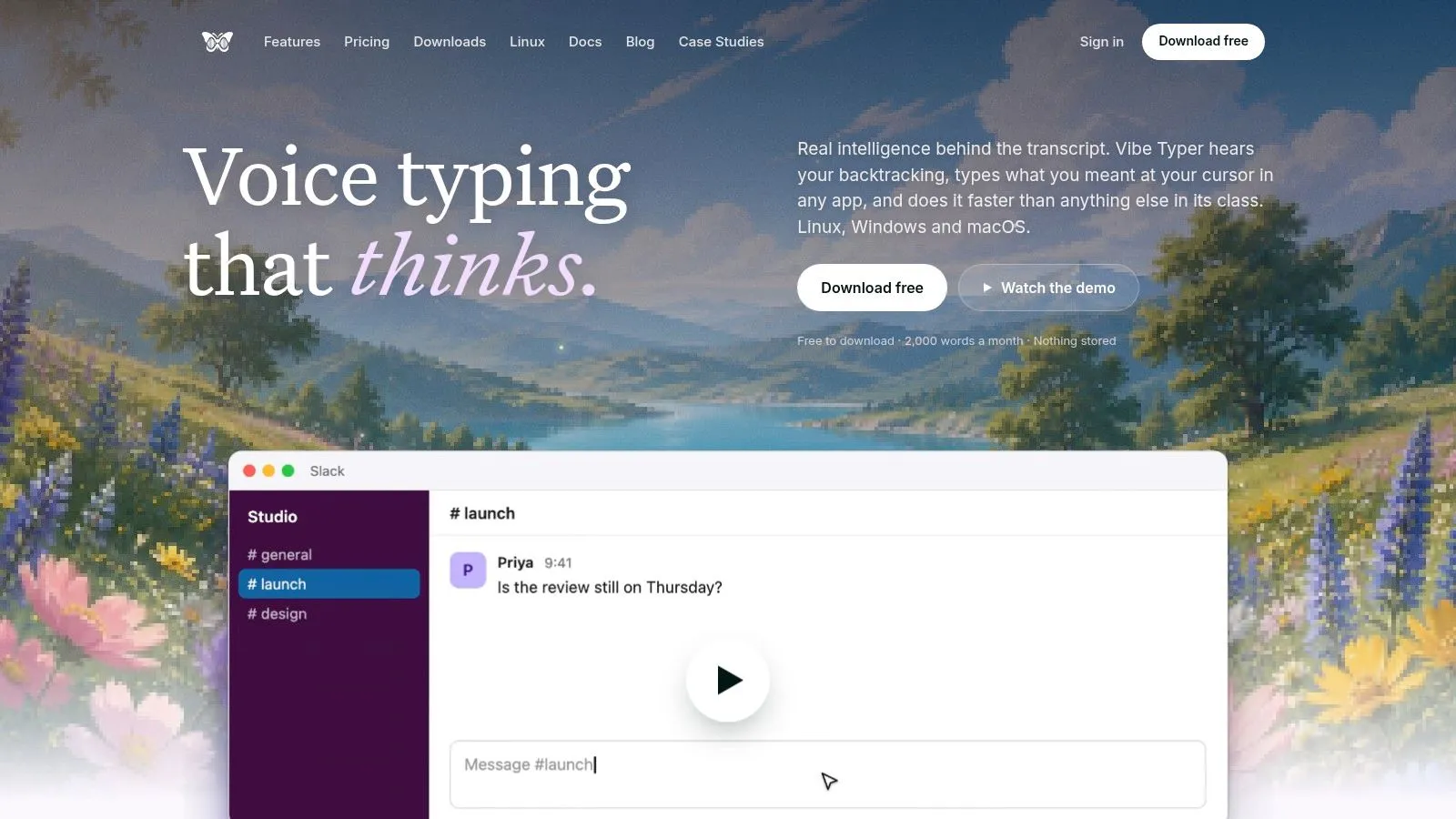
Vibe Typer solves a job most remote stacks ignore, fast drafting at the point of work. It types directly into the app at your cursor, so you can speak into Slack, Gmail, Notion, Word, a terminal, or a code editor without copy/paste or per-app plugins, and it runs natively on Linux Wayland and X11, Windows, and macOS, with an iPhone app too (Vibe Typer). For distributed work, that removes one of the most common handoff points, moving a thought from speech into the place where it needs to live.
Why it fits real remote workflows
The standout feature is Magic Formatter. It strips filler words, applies self-corrections, fixes punctuation, and follows your style instructions while showing a transparent diff of what changed. That makes it useful for people who need polished text quickly, especially when a rough voice note has to become a clear reply without extra editing.
It also supports AI voice commands for rewrite and reply, automatic system mute during recording, a custom dictionary for names and jargon, and per-app insertion behavior so terminals and editors stay plain text instead of getting mangled. Those details matter because remote teams work across tools that handle input differently, and a dictation app only helps if it respects those differences.
Practical rule: use voice typing where you already write, not as a separate workflow. If a tool cannot land cleanly in your terminal, editor, or chat window, it adds another layer of work.
Vibe Typer also fits teams that care about data handling. Audio is processed in memory and cleared after transcription, transcripts are not retained on servers, and user audio and text are not used to train models. It supports 99 languages with automatic detection, which makes it practical for multilingual teams and cross-border collaboration.
The trade-off is straightforward. The free plan has real limits, and the product references AI operations, so heavier use will likely need Pro or a business seat. For Linux Wayland users, developers, clinicians doing their own drafting, and cross-platform knowledge workers, Vibe Typer cuts typing friction without adding another app layer.
2. Slack
Slack is strongest when your team needs fast communication without turning every question into a meeting. Channels keep conversations grouped by project or function, and that structure helps remote teams preserve context instead of scattering it across DMs and email. It's also one of the clearest fits for external collaboration because Slack Connect lets partners and vendors join controlled shared spaces.
Where it helps, and where it gets noisy
Slack works best as a communication hub, not as a dumping ground. Its search, threading, and workflow automation make it easier to keep a distributed team moving, and its integration ecosystem is broad enough to connect project boards, docs, and alerts into the same environment (Slack). For teams that already live in channels, it can replace a lot of “quick check-in” meetings with a few targeted messages and clips.
Operational habit: mute aggressively. Slack gets better when every channel has a clear purpose and every non-essential notification is turned down.
That said, Slack can become noisy fast if you connect everything to everything. The free plan's history limit is a practical constraint, not a minor detail, and heavy app usage can make it harder, not easier, to focus. If your team needs a communication layer that stays lightweight and searchable, Slack fits. If your organization wants one system for chat, calling, and enterprise governance, Teams may be the better anchor.
For a practical voice-workflow angle inside Slack, this remote-team guide adds a useful bridge: Vibe Typer for remote team voice workflows.
3. Microsoft Teams
Microsoft Teams makes sense when the company already lives in Microsoft 365. It brings persistent chat, meetings, file sharing, and calling into one place, and the strongest part is the way it ties into Outlook, OneDrive, SharePoint, Word, Excel, and PowerPoint. If your team already pays for Microsoft licensing, Teams can reduce tool sprawl instead of adding another standalone system.
Best for organizations that want one admin surface
Teams is especially useful in enterprise environments where security, compliance, and identity management matter more than a minimal interface. Meetings, webinars, recordings, and transcripts all fit into the same ecosystem, and add-ons like Teams Phone and Teams Rooms extend it beyond basic chat (Microsoft Teams). That makes it a solid pick for organizations that want centralized administration and a clearer governance model.
The trade-off is complexity. Teams is powerful, but mixed environments can feel heavier because the platform is most natural when the rest of the stack is Microsoft-native. If your document workflow lives in Google Drive or your project system sits elsewhere, Teams can still work, but it won't feel as smooth as it does inside a Microsoft-first company.
For remote work, that means Teams is less about being the slickest chat app and more about being the most operationally complete one. If you need one place for meetings, documents, and policy-driven access, it's hard to beat. If your culture depends on quick, informal collaboration across lots of tools, Slack may stay cleaner.
4. Zoom Workplace
Zoom still wins a lot of comparisons because video quality matters more than people admit. When a distributed team is spending time in live meetings, interviews, client calls, or workshops, the difference between a stable video session and a glitchy one affects the whole workflow. Zoom Workplace bundles meetings, chat, whiteboards, and async video into a single platform, which makes it more useful than a pure conferencing app.
Strong for live meetings, better now for async handoff
The platform's biggest strength is consistent video performance across devices and network conditions, plus the fact that external guests usually know how to join a Zoom call without training. Zoom Clips also helps teams reduce synchronous load by letting people send short recorded updates, recaps, or walkthroughs instead of booking yet another meeting (Zoom Workplace). Zoom also says customer meeting content isn't used to train its AI models, which will matter to teams that are wary of how meeting data is handled.
The trade-off is that the best admin and compliance features sit in paid tiers, and once a team starts adding webinars, rooms, clips, and other add-ons, governance can get messy. Zoom is strongest when it stays focused on its core job, live conversation with reliable delivery.
For a remote stack, that makes Zoom a meeting layer, not a collaboration philosophy. Use it to preserve face time when you need it, then push everything else into async tools so the calendar doesn't become the whole system.
5. Google Workspace
Google Workspace is the cleanest choice for document-centric remote teams that want co-editing to feel effortless. Gmail, Calendar, Drive, Meet, Chat, and Docs all work as one suite, and the value comes from the way people can co-author in Docs, Sheets, and Slides without email ping-pong or file-version confusion.
Best when the work lives in documents
For async-heavy teams, Workspace lowers friction in the places that matter most. Shared storage, simple provisioning, and browser-based editing make it easy for people to jump in from almost any device, which is why it stays popular in mixed hardware environments (Google Workspace). If your team spends a lot of time writing, reviewing, and revising, this suite can become the backbone of the entire workflow.
What works well: co-editing, comments, suggestions, and quick calendar-to-meeting flow.
What needs care: higher-tier controls matter if you need more governance, region settings, or compliance structure.
The downside is that mixed-stack organizations often need extra integration work. Workspace is smooth inside its own ecosystem, but if your project management, chat, and knowledge base live elsewhere, some of the simplicity gets lost. Even so, for teams that value fast document turnaround more than platform complexity, it's one of the strongest tools for remote work.
6. Notion
Notion is the best fit when your team wants one place for docs, wikis, databases, and lightweight project management. It works well for distributed teams because it centralizes knowledge without forcing a rigid structure, and that flexibility is exactly why it can replace scattered docs and loose status pages.
Good for centralizing knowledge, risky if left unguided
Pages, databases, boards, calendars, and timelines give teams enough structure to track work without locking them into a single workflow. Teamspaces, granular permissions, SAML SSO on higher tiers, and enterprise features like audit logs and SCIM make it usable as teams grow (Notion). Notion AI, Custom Agents, and enterprise search can help with summaries and retrieval, which matters when a remote team needs to find decisions quickly instead of asking around.
The catch is governance. Notion gets messy when everyone creates their own system. Without templates and naming rules, the workspace can sprawl into a beautiful but unreliable filing cabinet. That's not a software flaw, it's a process issue.
Used well, Notion becomes the place where onboarding docs, meeting notes, SOPs, and project pages all live together. Used loosely, it becomes another tab people avoid. The difference is discipline, not features.
7. Asana
Asana is a strong choice when remote teams need accountability, not just communication. It's built around tasks, subtasks, dependencies, timelines, workload views, and reporting, which makes it more useful than a simple board when work crosses functions or departments.
Best for making ownership visible
Asana helps teams answer the questions that usually get buried in chat, who owns this, what's blocked, and what comes next. Forms and rules reduce manual status chasing, while dashboards and goals make progress visible across the team (Asana). That's useful for remote work because no one can rely on hallway conversations to keep a project moving.
The trade-off is that the platform has a learning curve. The breadth that makes it powerful also makes it easier to overbuild. If a team doesn't define how tasks, projects, and approvals should work, Asana can turn into a polished but overcomplicated list manager.
Used properly, it replaces scattered update threads and status meetings with one operational layer. It's especially useful when work depends on handoffs between teams, because dependencies and timeline views make those handoffs visible before they become delays.
8. GitHub
GitHub is the center of gravity for distributed software development, and it's still the clearest example of how remote work can be structured around artifacts instead of meetings. Repositories, pull requests, issues, projects, Actions, and Codespaces give engineering teams a shared environment for building, reviewing, and shipping work.
The best fit for code-driven collaboration
If your team uses issue and PR workflows, GitHub isn't just version control, it's the workflow itself. Protected branches, code review, and automation through Actions make it possible to keep development moving across time zones without requiring everyone to be online at once (GitHub). That's one reason it remains central to remote engineering teams.
GitHub also matters for toolchain planning because usage can expand quickly. Actions and Codespaces are powerful, but they need governance if you want to avoid surprise costs. For non-developer teams, the interface can feel too code-centric, which is why project managers sometimes prefer more visual tools.
For teams that want voice input to fit into technical work, this internal resource is a useful companion: Vibe Typer and speech-to-text API workflows. It's especially relevant when developers need to capture ideas in the terminal or write comments and issue text faster.
9. Miro
A distributed product team can use Miro to run a retrospective, map a customer journey, or sketch an architecture decision without waiting for everyone to be in the same room. The board becomes the shared record while the session is live, and it stays useful afterward because the team can export notes, move action items into another system, and revisit the board later.
Good for workshops and systems thinking
Miro's templates, sticky notes, and diagramming tools fit the capture job well, especially when a facilitator needs to collect ideas quickly and keep them organized. For teams that want to capture workshop ideas by voice directly onto a board, see Vibe Typer's guide to Miro voice input and dictation. Integrations help tie the board to product discovery, retrospectives, and planning sessions, while Miro also offers enterprise controls such as SSO, audit logs, and data residency options for groups that need more oversight.
The trade-off is governance and plan fit. AI features and enterprise controls sit in higher tiers, and credit-based AI use needs attention so boards do not turn into cluttered or costly experiments. Miro works best when the team uses it to create a clear working surface, then hands the output to the tool where execution lives.
10. Loom
A remote team usually reaches for Loom when a meeting would slow the work down. Record your screen, camera, or both, then let people review the walkthrough on their own schedule. That keeps context attached to the work and cuts down on live interruptions.
Best for explanations that need nuance
Loom fits status updates, bug walkthroughs, onboarding, and feedback that would be clumsy in chat. Captions, transcripts, summaries, chapters, comments, and viewer analytics make it easier to scan a recording and act on it later (Loom). Its integrations with Slack, Jira, Confluence, GitHub, Notion, and other tools help it sit inside an existing workflow without forcing a new process.
Free plans feel constrained once a team starts using video heavily, and some enterprise features depend on specific purchasing paths during migration periods. If you're weighing Loom against alternatives, this guide to choosing a document video tool breaks down the trade-offs. Loom reduces meeting load, but the team still needs to decide what belongs in a recording and what needs a live conversation.
Use it for a single explanation that should be reused many times. For back-and-forth resolution, synchronous tools still matter.
Top 10 Remote Work Tools Comparison
| Product | Core features & USP | Privacy & Platform | UX / Quality (rating) | Target & Pricing |
|---|---|---|---|---|
| Vibe Typer 🏆 | Hotkey dictation, Magic Formatter + diff ✨ | In‑memory audio, no server transcripts; Native Linux (Wayland/X11), Windows, macOS, iOS | ★★★★☆ fast, clean text; transparent edits | 👥 Devs, clinicians, knowledge workers · 💰 Free (2k words / 20 AI ops), Pro $8/mo (annual) |
| Slack | Channels, DMs, Huddles, 2,600+ integrations ✨ | Cloud-hosted, org retention controls | ★★★☆☆ great for threaded chat | 👥 Distributed teams · 💰Free limited history; paid tiers |
| Microsoft Teams | Meetings, chat, calling + deep M365 integration ✨ | Enterprise security/compliance; tied to Microsoft 365 | ★★★☆☆ best value inside MS stack | 👥 Microsoft-centric orgs · 💰Licensed via M365 plans |
| Zoom Workplace | HD meetings, breakout rooms, Zoom Clips async ✨ | Cloud with privacy commitments for meeting content | ★★★★☆ reliable video at scale | 👥 Remote teams focused on meetings · 💰Free basic; paid tiers |
| Google Workspace | Real‑time Docs/Drive, Meet + Gemini AI integrations ✨ | Cloud-first, pooled storage and admin controls | ★★★★☆ strong collaboration UX | 👥 Document-centric teams · 💰Per-user plans |
| Notion | Pages, databases, Notion AI & Custom Agents ✨ | Cloud with enterprise options (SSO, audit) | ★★★★☆ highly customizable (can sprawl) | 👥 Knowledge teams · 💰Free/basic; paid tiers |
| Asana | Tasks, timelines, automations, reporting ✨ | Cloud with enterprise admin & controls | ★★★★☆ powerful PM features, learning curve | 👥 Project & ops teams · 💰Tiered per-seat pricing |
| GitHub | Repos, PRs, Actions CI/CD, Codespaces ✨ | Cloud + Enterprise options; strong security tools | ★★★★★ developer‑centric workflow | 👥 Engineering teams · 💰Free public/private; paid enterprise |
| Miro | Infinite boards, templates, AI-augmented workshops ✨ | Cloud with data‑residency & enterprise controls | ★★★★☆ excellent for workshops & design | 👥 Facilitators & designers · 💰Free limited; paid tiers |
| Loom | Async video + transcripts, AI summaries & chapters ✨ | Cloud-hosted with enterprise controls | ★★★★☆ fast capture-to-share | 👥 Async communicators · 💰Free limited; paid tiers |
Assemble the Smallest Stack That Works
The best remote stack is usually smaller than people expect. A practical setup might be Vibe Typer with Slack or Teams for fast message drafting, Vibe Typer with GitHub for terminal and editor work, Vibe Typer with a document suite for longer-form writing, and a communication plus project-management pair such as Slack plus Asana or Teams plus Asana. That combination covers the main jobs of remote work without forcing one app to do everything badly.
If your team handles a lot of asynchronous writing, test insertion behavior in the apps you use. A tool that behaves perfectly in a browser but awkwardly in a terminal or code editor will slow people down, especially in mixed-device environments. That's why privacy, platform coverage, and workspace behavior matter as much as features like summaries or integrations.
Security and governance also deserve a real review before adoption. Remote-work security is a major category, with one 2026 estimate placing the global market at USD 76.38 billion in 2026 and projecting USD 300.26 billion by 2033 (remote work security market estimate). If your organization handles sensitive work, verify how each tool treats data retention, access control, and admin visibility before it becomes a standard.
The practical way to choose is to start with the job, then pick the smallest tool that does it well. Use chat for communication, project software for coordination, docs for memory, and voice typing for faster capture. Then test the stack with real work, in real apps, on real devices.
If you're a Linux Wayland user, developer, clinician, or cross-platform knowledge worker who wants faster drafting without adding another fragile workflow, start with Vibe Typer. It's built to type directly where you already work, which makes it one of the most practical tools for remote work when speed, privacy, and clean insertion all matter.
If you want faster drafting inside the tools you already use, Vibe Typer gives you native voice typing on Linux, Windows, and macOS with clean insertion into chat, docs, terminals, and editors. It fits this remote-work stack because it reduces handoffs instead of adding another one, and it's a strong place to start if you want to work faster without changing your workflow.
Try Vibe Typer free
Voice typing that works in every app on Linux, Windows, and macOS. Free to download: 2,000 words a month, no card.
Download free