Windows
Windows 10 or later (64-bit)
DownloadInstaller · .exe
Voice typing for Linux, Windows & macOS. About a minute to install, then press your hotkey and talk.
Download for Windowsvibe-typer-Setup.exe · Windows 10 or later (64-bit)
Windows 10 or later (64-bit)
DownloadInstaller · .exe
macOS 12 Monterey or later · Apple Silicon
DownloadDisk image · .dmg
Modern 64-bit distros · X11 & Wayland
DownloadPortable · .AppImage
Free forever plan · No credit card · Nothing stored on our servers
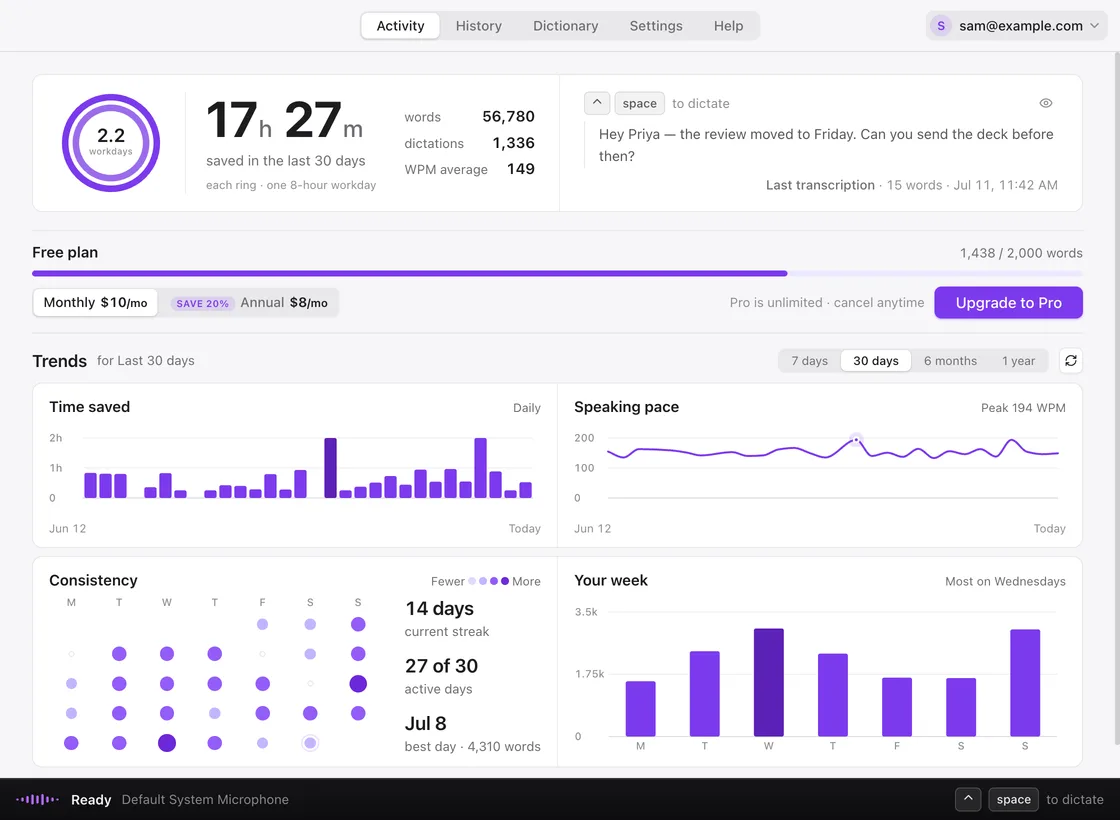
Yes. Vibe Typer is free to download and use, with 2,000 words of transcription and 20 AI operations each month. Upgrade to Pro any time for unlimited use: $8/month billed annually, or $10/month month-to-month.
Modern 64-bit Linux distributions via AppImage, Windows 10 or later (64-bit), and macOS 12 Monterey or later (Apple Silicon). Both X11 and Wayland sessions are supported on Linux. iPhone and iPad are in beta on iOS 17 or later, installed through TestFlight rather than the App Store.
Yes, in beta. Vibe Typer for iOS is a dictation keyboard plus a companion app, and while it is in beta it is distributed through Apple’s TestFlight rather than the App Store. It needs iOS 17 or later. The keyboard is dictation only: there is no letter keyplane, so you switch to it to speak and iOS hands you back to your usual keyboard once the text lands. It also needs Allow Full Access turned on in iOS Settings and the microphone permission granted in the Vibe Typer app. Full Access is what lets the keyboard read your sign-in from the companion app; the keyboard makes no network requests of its own. iOS never lets a keyboard reach the microphone, so the app does the recording and the keyboard inserts the finished text. Sign in with the Vibe Typer account you already have. There is no checkout in the iOS app, so it reads whatever plan your account is already on.
Yes. Vibe Typer inserts transcribed text directly into whatever app is focused: Gmail, Slack, VS Code, Microsoft Word, Google Docs, terminals and more. It works system-wide, not just in a browser.
Unlike built-in OS dictation, Vibe Typer uses secure cloud AI transcription through our backend for higher accuracy, supports AI-powered rewriting and tone styling, works consistently across all platforms, and keeps zero audio or transcript data on its servers.
Yes. Vibe Typer needs an active internet connection during dictation. Your audio is streamed securely to our backend and transcribed with cloud AI for high accuracy and fast response times.