Vibe Typer for Business: Seat-Based Licensing and Team Deployment

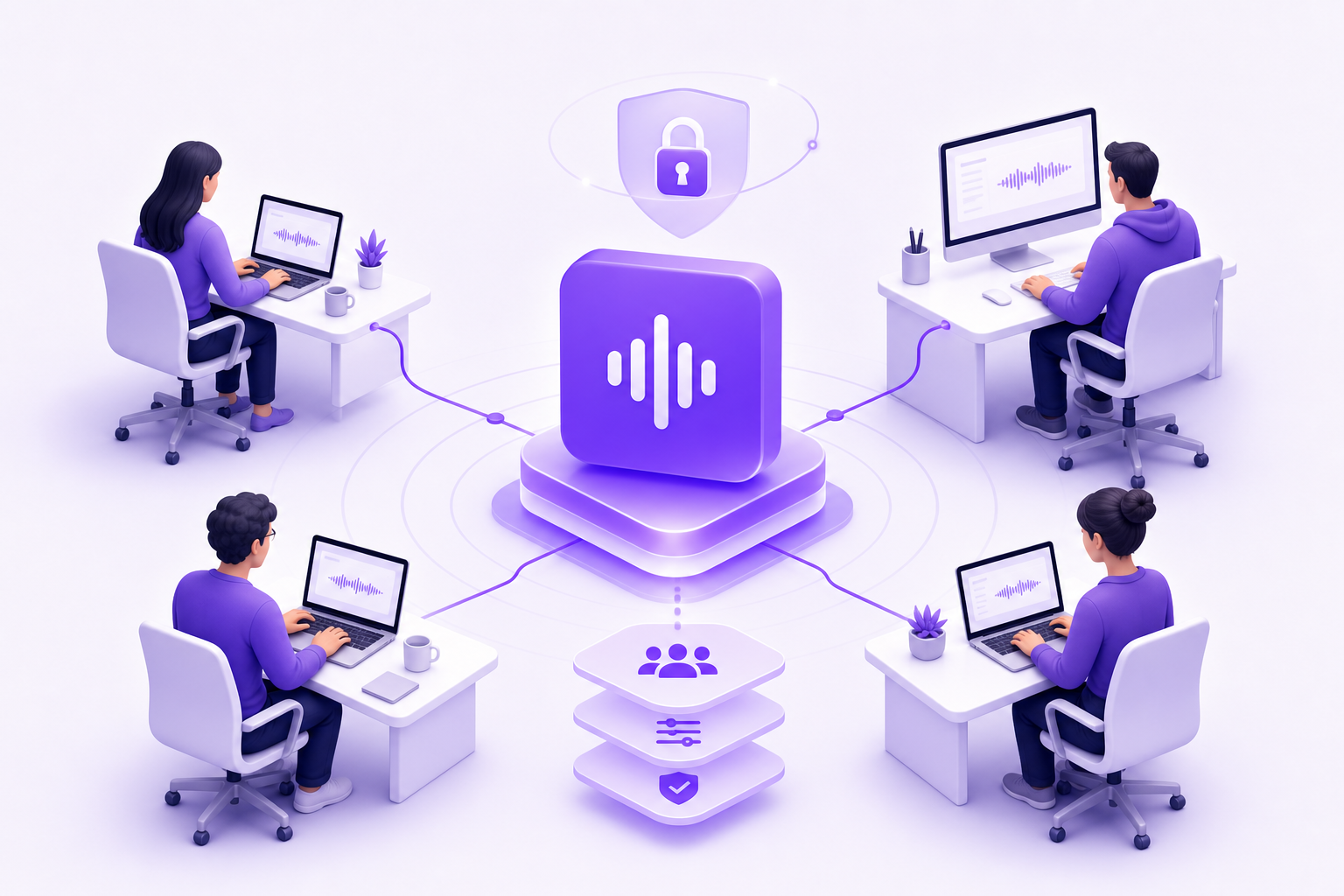
When one developer on your team discovers voice typing, the productivity gain tends to spread fast. The harder question is how you roll it out across a team without juggling a dozen individual subscriptions, navigating mixed operating systems, or wondering what happens to audio data on a shared network.
Vibe Typer's Business plan is built for exactly that situation. Here's what to know before you deploy.
How business licensing works
Vibe Typer Business runs on a seat-based model. Instead of each team member managing their own subscription, seats are provisioned through a single account. Pricing isn't publicly listed. It's scoped to team size and deployment needs, so you'll need to contact the sales team directly at vibetyper.com to get a quote.
That structure has real practical benefits. Procurement gets a single invoice instead of reconciling a pile of individual charges. IT can provision and deprovision access centrally. Finance gets a predictable per-seat cost rather than a mix of personal plans showing up on expense reports.
If you want to evaluate the product before involving procurement, the free tier (2,000 words and 20 AI operations per month, no credit card required) and the Pro tier ($8 per month billed annually) give individual contributors enough to work with before you bring it to a team conversation.
What every seat gets
Each Business seat includes the full feature set:
- Hotkey-activated voice typing that injects transcribed text directly at the cursor position in any application: terminals, code editors, browser-based tools, all of it
- Magic Formatter, which strips filler words and self-corrections automatically, then rewrites output according to persistent plain-English style instructions you define once
- 99-language support with automatic language detection
- Settings sync across devices via a single account, so a developer moving between a Linux workstation and a MacBook stays consistent
- Local dictation history with a diff view showing what was said versus what was output
- Unlimited voice typing and AI operations, plus AI rewrite, tone styling, and voice commands, the same feature set as Pro
The style instructions deserve a closer look for teams. You write them once in plain English, something like "always use sentence case for commit messages" or "remove filler words and format output as bullet points", and they apply automatically to every dictation session for that user. No per-session setup, no reminders. For teams with a shared writing style or documentation standard, you define the rule once per user and it holds.
Cross-platform deployment: Linux, Windows, and macOS
Most voice typing tools quietly assume everyone is on a Mac. Vibe Typer is one of the few native desktop voice-to-text apps that runs on Linux, Wayland and X11 both, as well as Windows and macOS.
For engineering teams running mixed environments, that's the difference between a tool that works for everyone and one that only works for whoever happens to be on Apple hardware.
On Linux, the app ships as a portable AppImage. The docs cover Pop!_OS COSMIC, Wayland blur handling, and Linux keyring troubleshooting. Checkbox ports don't usually get that far. Developers working in terminals with Cursor, Claude Code, or OpenCode can dictate straight into them.
On Windows and macOS there's a standard installer. Settings sync across platforms via the same account, so switching machines doesn't mean reconfiguring everything from scratch.
Privacy and data handling for teams
In a business deployment, how audio is handled matters as much as what the tool can do.
Vibe Typer processes audio in memory on its own backend infrastructure. No recordings are stored server-side. Dictation history lives locally on each user's device, not in a shared cloud database. That means audio from a sensitive Jira ticket or a clinical note doesn't persist anywhere after the session ends.
One distinction to be clear on: Vibe Typer is not an offline or on-device processing tool. Audio is transmitted to Vibe Typer's infrastructure for transcription, then discarded. If your security policy requires fully local processing with zero network transmission, that's worth raising directly with the sales team before you commit.
For most business contexts, in-memory processing with no server-side storage is a reasonable position. It also avoids the screenshot-capture approach some competitors use to power AI features.
Who gets the most value on a team
A few roles get the most out of a Business deployment.
Engineering teams on Linux. If your developers are on Ubuntu, Fedora, Pop!_OS, or another Linux distribution, Vibe Typer is one of the few tools that actually works without workarounds. Dictating commit messages, pull request descriptions, and inline comments directly into the editor removes a real chunk of daily typing.
Documentation-heavy roles. Product managers, technical writers, and support engineers who spend hours in Confluence, Notion, or Jira benefit from fast transcription combined with Magic Formatter's cleanup. Persistent style instructions mean output stays consistent without manual editing after every session.
Clinical and medical teams. Fraser Street Medical runs Vibe Typer in a clinical setting, where dictation speed and accuracy decide how much time clinicians spend on notes instead of patients.
Accessibility and RSI accommodation. For team members managing repetitive strain injuries or other conditions that make sustained typing difficult, a seat-based deployment gives them a consistent, supported tool rather than a personal workaround.
Deploying across a team: practical notes
A few things worth thinking through before you roll out seats.
Style instructions are per-user, not team-wide. Each seat holder configures their own Magic Formatter instructions. If you want consistent output across the team, you'll need to share a standard set of instructions for users to copy into their own settings. There's no central template push at the moment.
Settings sync via account login. Each seat holder logs in with their own account, and settings sync automatically across that user's devices, style instructions and dictation preferences included. Moving between a desktop and a laptop doesn't require any reconfiguration.
The AppImage on Linux is portable. No system-wide install required, which is useful in environments where users don't have root access or where IT prefers to avoid modifying system packages.
Pricing is scoped per engagement. Contact the sales team at vibetyper.com with your team size and use case to get a quote. If you're evaluating before that conversation, individual Pro accounts at $8 per month billed annually have the same feature set as a Business seat.
FAQs
What is Vibe Typer's Business plan and how is it priced? Vibe Typer Business is a seat-based licensing plan for teams. Pricing isn't publicly listed. Contact the sales team at vibetyper.com with your team size and deployment requirements to get a quote.
Does Vibe Typer work on Linux for business deployments? Yes. Vibe Typer ships on Linux as a portable AppImage with native support for both Wayland and X11. It works in terminals, code editors, and any application where you can place a cursor. That makes it one of the few voice typing tools that works across mixed Linux, Windows, and macOS teams.
Is audio data stored when team members use Vibe Typer? Audio is processed in memory on Vibe Typer's own backend infrastructure and no recordings are stored server-side. Dictation history is saved locally on each user's device. Vibe Typer is not an offline tool. Audio is transmitted for transcription, but it is not retained after processing.
Can a team share style instructions across seats? Style instructions are configured per user within each seat holder's account. There's no central template push at the team level. Teams can standardize by sharing a written set of instructions for each user to enter into their own Magic Formatter settings.
What features does each Business seat include? Business seats include unlimited voice typing, unlimited AI operations, Magic Formatter with persistent plain-English style instructions, AI rewrite, tone styling, voice commands, 99-language support with automatic detection, settings sync across devices, and local dictation history with a diff view.
How does Vibe Typer compare to Dragon Professional for business teams? Dragon Professional is Windows-only at $699.99 per license with no AI-style cleanup equivalent to Magic Formatter. Vibe Typer supports Linux, Windows, and macOS under a single seat-based subscription model, with Magic Formatter handling filler-word removal and persistent style formatting automatically.
How do I get started with a Business deployment? Contact the sales team at vibetyper.com to discuss seat counts and pricing. If you want to evaluate the product first, individual accounts are available with a free tier that requires no credit card, or a Pro tier at $8 per month billed annually.
The case for deploying Vibe Typer across a team is strongest when your environment includes Linux machines, when your team has a consistent writing style worth enforcing automatically, or when you need a single tool that works the same way on every operating system your team actually uses. Start with a few individual Pro accounts to validate the workflow, then bring the Business conversation to sales once you have internal buy-in.
Try Vibe Typer free
Voice typing that works in every app on Linux, Windows, and macOS. Free to download: 2,000 words a month, no card.
Download free